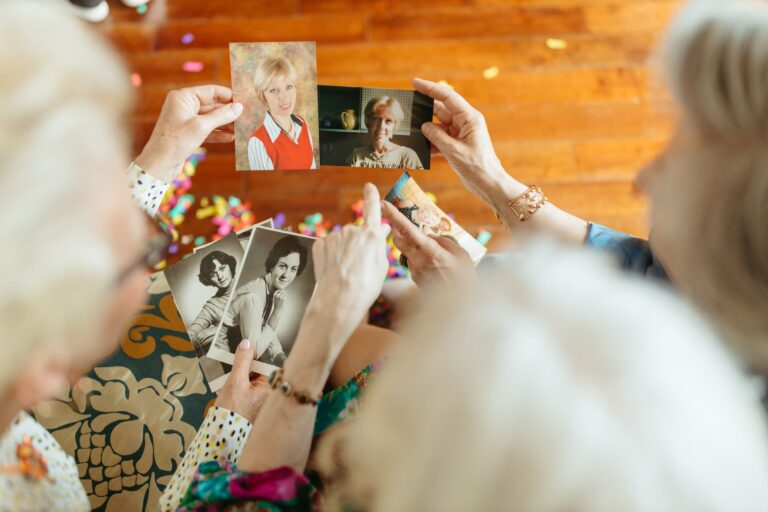
Families preserve favorite family photographs before Alzheimer's progresses by digitizing prints at high resolution, implementing a three-copy backup system across different storage formats, and labeling images with names, dates, and story details. This combination protects irreplaceable visual memories from physical decay while making them searchable and accessible during later disease stages. Alzheimer's disease attacks short-term memory first—83% of patients seek evaluation for short-term memory loss—but long-term memories from earlier life often remain intact longer, making childhood and historical photographs therapeutically valuable even as the disease progresses. Preservation while a family member still has capacity to participate ensures their perspective and memory context are captured, not lost.
Medical information disclaimer: This article is for general educational purposes only and does not provide medical advice, diagnosis, or treatment. Always consult a physician or other qualified health professional about symptoms, medications, tests, or treatment decisions.
Table of Contents
- Why Photographs Work When Words Fade
- The Window for Participation
- Digitization and Backup Standards
- Labeling and Organizing for Memory Access
- Using Photographs Therapeutically
- Getting Started: Practical First Steps
- Frequently Asked Questions
Why Photographs Work When Words Fade
Visual prompts activate multiple brain regions simultaneously, including emotional processing and memory retrieval centers, more effectively than verbal communication alone. This remains true even in patients with moderate-to-severe dementia who struggle to speak or recall events through conversation.
A single photograph—a wedding day, a childhood home, a grandchild's first birthday—can trigger recognition and detailed memory recall that a description cannot. This is why photographs trigger memory recall more reliably than other memory aids. families report that a person unable to name a grandchild in conversation often brightens and smiles when shown a labeled photograph, sometimes even retrieving details about the event or relationship.
The Window for Participation
Families should prioritize photo preservation in Stages 1–3 of Alzheimer's—from preclinical symptoms through early mild cognitive impairment—when the person can still identify family members, describe events, and add their own context to photographs. Delaying until later stages forfeits the patient's irreplaceable perspective and memory of who appears in the images, why they matter, and what stories connect to them.
Even in early-stage Alzheimer's, a family member can help sort, label, and organize their own photo collection. This participation is both practical—their memory is still accessible—and meaningful, giving the person agency in preserving their own history.
Digitization and Backup Standards
Digitize prints at a minimum of 600 pixels per inch (PPI) to preserve fine details, ensuring that facial features, expressions, and background context remain clear across generations. Printed photographs deteriorate through light exposure, moisture, and handling, making digital preservation essential.
Experts recommend the 3-2-1 backup strategy: three copies on two different media formats with one stored offsite. For example, keep one copy on an external hard drive at home, one on cloud storage (Google Photos, Amazon Photos, or Dropbox), and one on a USB drive stored with a trusted family member. This protects against single-point failure—device malfunction, fire, or accidental deletion—while ensuring access from multiple locations.
Labeling and Organizing for Memory Access
Current photographs with family member names and titles help address short-term memory challenges by triggering recognition of loved ones in the present moment. Older photographs reliably access long-term memories from decades past. An organized collection separates these by time period or relationship, making it easier to select the right images during memory work.
Metadata tags—dates, locations, names, and story context—transform a vulnerable collection into a searchable, permanent family archive accessible for multiple generations. Write brief captions directly into photo files (most phone apps allow this) or maintain a spreadsheet linking filenames to descriptions. Simple labels like "Mom at her college graduation, 1975" or "Christmas 1998 with Grandpa Al" provide anchors for memory recall.
Using Photographs Therapeutically
Photo Reminiscence Therapy (PRT) is a structured intervention where families use photographs to prompt discussion of past events; research found it significantly improves emotional well-being and reduces anxiety and agitation symptoms compared to untreated controls. The therapy works by selecting images relevant to the person—family gatherings, work life, travel, hobbies—and allowing time for them to respond, share memories, or simply sit with the emotional comfort of recognition.
Patients who engaged in reminiscence therapy showed better social interactions and fewer mood disturbances than untreated peers, with benefits including temporary improvements in apathy, depression, and memory recall accuracy. Families need not hire a therapist to begin; a 15-minute weekly session of shared photographs—a parent looking through images of their children, or a spouse reviewing vacation memories—can offer both emotional benefit and meaningful connection.
Getting Started: Practical First Steps
.
- **Prioritize**: Start with photographs showing the person's own earlier life (childhood, young adulthood, family milestones) rather than recent images they may not recognize.
- **Gather originals**: Collect prints from drawers, albums, and storage; ask siblings, cousins, or extended family for duplicates.
- **Digitize efficiently**: Scan at home using a flatbed scanner and free software (many libraries now offer free scanning services), or hire a digitization service if volume is large.
- **Label while memory is present**: If the person is in Stages 1–2, ask them to identify family members and recall events as you scan. Record these descriptions in photo captions.
- **Back up immediately**: Upload files to cloud storage before the external hard drive is misplaced or corrupted.
Frequently Asked Questions
Can we use photographs if Alzheimer's is already advanced and the person doesn't recognize family members?
Yes. Visual recognition can return during reminiscence sessions even when verbal memory is severely impaired. Labeled photographs provide non-verbal anchors for emotional connection and social engagement, though the person may not remember specific events or names each time.
How much does professional digitization cost?
Services typically charge $0.25–$1.00 per photograph for high-resolution scanning, plus metadata tagging. A collection of 500 prints costs $125–$500 before organization. Home scanning costs less if the person has access to equipment.
Should we organize photographs chronologically, by person, or by event?
Start with chronological organization (childhood, adulthood, recent decades), which mirrors long-term memory structure in Alzheimer's. Later, create smaller themed collections (holidays, travel, work life) for therapeutic sessions with specific memory targets.
What if family members disagree about which photographs matter most?
Digitize comprehensively first, then organize subsets together. The person with Alzheimer's should guide selection in early stages. If disagreement persists, preserve all high-resolution copies for future generations—storage costs are minimal.