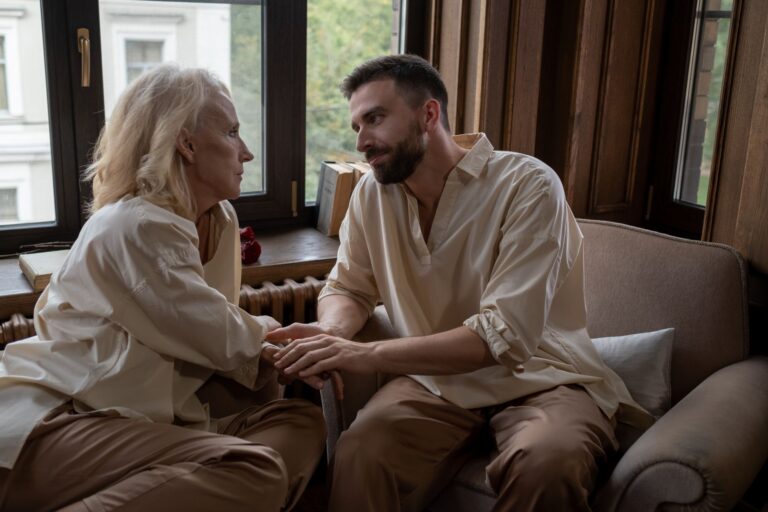
Family home videos can help some people with Alzheimer's connect through familiar faces, voices, places, and events. They may support a shared moment when conversation becomes difficult, but they cannot guarantee recall or restore lost communication. Alzheimer's is the most common form of dementia, a progressive condition that damages memory and thinking before affecting language, reasoning, and social behavior. The value of a video lies in the person's response, not in proving that a memory remains intact.
Medical information disclaimer: This article is for general educational purposes only and does not provide medical advice, diagnosis, or treatment. Always consult a physician or other qualified health professional about symptoms, medications, tests, or treatment decisions.
Table of Contents
- Why does communication become harder?
- What can home videos realistically do?
- Which videos should a family choose?
- How should caregivers share a video?
- When should the video stop?
Why does communication become harder?
A person with Alzheimer's may struggle to find words, understand language, organize thoughts, or follow a long conversation. Background noise can make these difficulties worse, according to the National Institute on Aging's communication guidance. These changes can make ordinary questions feel demanding.
"Do you remember this vacation?" requires the person to recognize the event, retrieve details, and explain them. A video offers another way to be together. A familiar laugh, song, room, or family ritual may invite attention or emotion without requiring a detailed verbal answer.
What can home videos realistically do?
Personal videos belong to a broader approach called reminiscence. It uses meaningful recordings, photographs, music, or objects to encourage engagement and conversation. The Alzheimer's Association describes reminiscence as a connection tool, not a memory test or medical treatment. The strongest overall evidence is modest. A 2018 Cochrane review of 22 trials involving 1,972 people found possible small benefits in communication, cognition, mood, or quality of life.
Results differed by setting and how reminiscence was delivered, and most participants had mild or moderate dementia. Cochrane explains those findings and limitations. Research on recorded family messages is even less certain. A separate Cochrane review found only three nursing-home trials with 144 participants, mixed behavioral findings, and very-low-certainty evidence. It could not establish whether this "simulated presence" approach improves symptoms or quality of life. The review is available through PubMed.
Which videos should a family choose?
Start with material that was meaningful to the person, not simply important to other relatives. A quiet birthday meal, a familiar pet, or a favorite holiday routine may work better than a long montage covering decades.
Choose clips that are easy to follow: Consider the person's current relationships and history. Footage involving bereavement, conflict, an estranged relative, or an upsetting place may cause confusion or grief rather than comfort.
- Begin with one short, familiar scene.
- Favor clear voices and limited background noise.
- Avoid rapid editing or several conversations at once.
- Select warm everyday moments rather than emotionally complicated events.
- Prepare another activity in case the video does not interest the person.
How should caregivers share a video?
Create a calm setting and sit where you can watch the person as well as the screen. Introduce the clip simply: "Here is a video from the garden." Then allow time for a response. Use observations instead of questions that test memory.
"The dog is running beside Dad" places less pressure on the person than "Who is that?" If the person identifies someone incorrectly, correction is usually unnecessary unless safety depends on accuracy. Follow any form of engagement. Smiling, humming, pointing, becoming still, or watching closely can matter even when the person says little. If they begin telling a story, let the conversation move away from the recording.
When should the video stop?
Watch for distress rather than assuming familiar footage will feel comforting. Warning signs can include turning away, repeated requests to stop, visible agitation, fearful speech, crying, or growing restlessness. Pause or end the video at the first clear sign of discomfort.
Lower the sound, try a different clip on another day, or replace the screen with a photograph, familiar song, or meaningful object. Keep brief notes about what worked, including the clip, time of day, setting, and response. If the person repeatedly becomes distressed, retire that recording instead of using repeated exposure as a memory exercise.