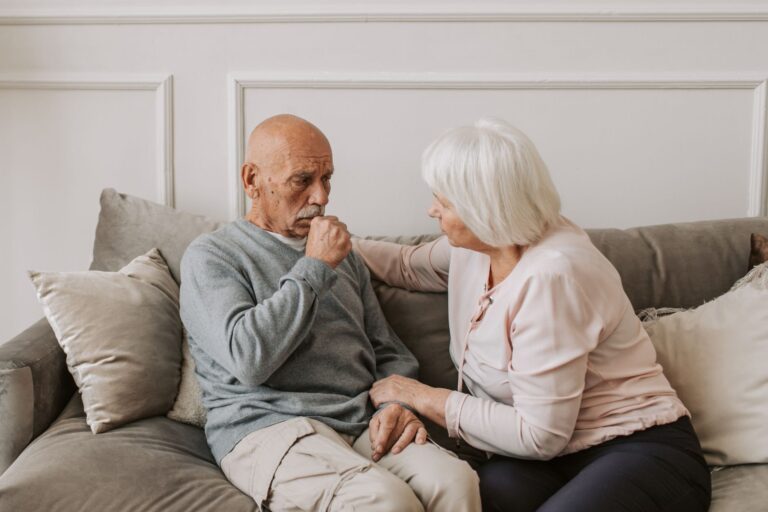
The best GPS tracker for dementia wandering is the one the person will reliably wear, caregivers can operate under stress, and the local network can locate with reasonable accuracy. Brand names matter less than secure attachment, dependable coverage, manageable charging, useful alerts, simple location sharing, and a clear response plan. For example, a highly accurate watch provides little protection if a person removes it each morning, while a discreet shoe insert may remain with them throughout a walk but cannot help when they leave home wearing slippers. No consumer tracker can prevent wandering or guarantee an immediate rescue.
GPS signals may weaken indoors, cellular service may fail, batteries run down, and every alert requires someone to notice and act. A tracker should therefore support—not replace—door alarms, identification carried on the person, attentive supervision, neighborhood awareness, and guidance from the person’s clinical care team. Choosing well begins with the person’s habits. Consider what they consistently wear, whether they tolerate unfamiliar objects, how often caregivers can charge a device, where wandering is most likely to occur, and who will respond at any hour. Those practical details usually determine whether a tracker works in daily life.
Medical information disclaimer: This article is for general educational purposes only and does not provide medical advice, diagnosis, or treatment. Always consult a physician or other qualified health professional about symptoms, medications, tests, or treatment decisions.
Table of Contents
- What Makes the Best GPS Trackers for Dementia Wandering?
- Location Accuracy, Coverage, and Update Frequency
- Geofencing and Alerts That Support a Fast Response
- How to Test a Dementia GPS Tracker Before Depending on It
- Battery Failure, Removal, False Alerts, and Other Common Problems
- Two-Way Calling, SOS Buttons, and Caregiver Communication
- Building a Wandering Response Plan Around the Tracker
- Frequently Asked Questions
What Makes the Best GPS Trackers for Dementia Wandering?
Reliable real-world location is more important than an impressive feature list. Many devices combine satellite positioning outdoors with cellular, Wi-Fi, or Bluetooth-based location methods. That combination can be useful because GPS generally performs best with a clear view of the sky, while indoor positioning may depend on nearby networks or a paired phone. A map pin should still be treated as an estimate rather than the person’s exact position, especially inside large buildings, parking structures, or dense urban areas. The device’s form is equally important. Watches are visible, familiar, and often include calling features, but a person who dislikes jewelry may remove one.
Pendants can be comfortable but may be left on a bedside table. Belt clips are easy for caregivers to attach, yet they can be transferred when clothing changes. Insoles and shoe-mounted trackers are discreet, although their usefulness depends on the person leaving in the expected footwear. A practical test is more informative than packaging claims. A caregiver might place the tracker in the person’s usual coat, walk the normal neighborhood route, enter a grocery store, and confirm how quickly the app updates in each setting. The test should also include an alert sent to every designated caregiver, because a technically successful notification is not useful if it is buried by a phone’s focus mode or sent to an outdated contact.
Location Accuracy, Coverage, and Update Frequency
A tracker needs both a way to determine location and a way to transmit it. Satellite positioning can calculate an outdoor position, but most stand-alone trackers need cellular service to send that position to a caregiver’s app. A device may appear to work well near home and then stop updating in a rural area, basement, or neighborhood poorly served by its supported network. Coverage should be tested wherever the person regularly spends time, not inferred from a general coverage map. Update frequency creates a meaningful tradeoff. Frequent location reports can show a more detailed route and reduce the time between movements appearing on the map, but they consume more battery and cellular data.
Longer intervals preserve power but may display an old position during an urgent search. caregivers should learn whether the device automatically increases reporting after a boundary alert and whether they can request a fresh location manually. Be wary of treating the “last updated” pin as a live location. If a device loses power or connectivity, an app may continue showing its last successful report. During a search, caregivers should check the timestamp, direction of travel, and recent location history instead of assuming the person remains at that point. A pin from 20 minutes ago may identify the start of a route rather than the current destination.
Geofencing and Alerts That Support a Fast Response
A geofence is a virtual boundary around a place such as a home, adult day program, or residential community. When a tracker reports crossing that boundary, the system can notify selected caregivers. This may provide an earlier warning than waiting for someone to notice an empty room, but it is not an instantaneous electronic fence. Detection and delivery can be delayed by the reporting interval, weak signals, network congestion, or phone notification settings. Boundary size matters.
A very tight geofence around a house may trigger repeated alerts when ordinary location drift places the device on the other side of an imaginary line. A very wide boundary reduces false alarms but allows the person to travel farther before anyone is notified. For example, a family might expand a boundary enough to include the home, yard, and a neighboring mailbox while excluding a nearby intersection that would represent a genuine concern. Alerts should reach more than one prepared person whenever possible. If only one family member receives notifications, a meeting, dead phone, or overnight silence setting can interrupt the response. Each recipient should know who checks the map, who searches nearby, who stays at the person’s usual return point, and who contacts local emergency services when the person cannot be located or faces immediate danger.
How to Test a Dementia GPS Tracker Before Depending on It
Run realistic practice scenarios while the person is safe and accompanied. Test the device on a routine walk, in a vehicle, inside frequently visited stores, and near any location where signal loss is likely. Record how long it takes for the app to show movement, send a boundary alert, and refresh a requested position. Also confirm whether multiple caregivers can sign in or receive shared alerts without accidentally locking one another out. Test the physical setup as carefully as the software.
A watch should be comfortable without restricting circulation, a pendant should not create an entanglement risk, and a clip should remain attached during dressing and toileting. Discreet attachment may improve consistency, but hidden devices raise ethical concerns if the person can still understand and participate in the decision. Capacity, consent, dignity, and applicable privacy rules should be discussed with the care team rather than treated as technical settings. A low-maintenance tracker may offer fewer live updates or communication features, while a feature-rich model may require frequent charging and more caregiver attention. Compare those demands with the household routine. If no one is available to charge a watch every evening, a simpler device with longer practical battery life may provide more dependable protection, even if its map updates are less frequent.
Battery Failure, Removal, False Alerts, and Other Common Problems
Battery life in everyday use may differ from an advertised estimate. Weak cellular reception, frequent location requests, voice calls, cold conditions, and repeated geofence checks can increase power use. Caregivers should establish a charging schedule tied to an existing routine, such as bathing or breakfast, and enable low-battery alerts if available. The tracker should also be returned to the person immediately after charging; a fully charged device left beside the outlet cannot report a wandering event. Removal is another common limitation. Dementia can change how a person interprets an unfamiliar object, so a tracker may be viewed as uncomfortable, unnecessary, or threatening.
Locking clasps and difficult-to-remove bands can improve retention, but they may also cause distress or create a safety problem. Persistent resistance deserves reassessment rather than escalating restraint. A different form factor, familiar-looking watch, sewn-in pocket, or supervised shoe-based device may be better tolerated. False alarms can produce alert fatigue, while missed alerts can create false reassurance. Review every unexpected notification to determine whether the cause was normal travel, location drift, delayed reporting, or an incorrectly configured boundary. After app updates, phone replacements, password changes, or subscription renewals, repeat the alert test. A warning system that worked last month should not be assumed to remain correctly configured.
Two-Way Calling, SOS Buttons, and Caregiver Communication
Some trackers allow two-way calls, automatic answering, or an SOS button. These features can help a caregiver reassure and direct a person who understands the device. For example, a daughter who sees her father at the wrong bus stop may be able to speak through his watch and ask him to wait beside the shelter while help arrives.
Communication features also have limits. A person with advanced dementia may not recognize the caller, remember how to press a button, hear the speaker outdoors, or follow directions from a disembodied voice. An SOS button should therefore be tested as a bonus capability, not made the only way to signal that help is needed.
Building a Wandering Response Plan Around the Tracker
Keep the information needed for a search current and easy to access. This can include a recent photograph, physical description, common destinations, previous wandering routes, medical or communication needs, and the tracker’s login and support details. Caregivers should know how to view location history, distinguish a current fix from an old one, and share useful location information without exposing account passwords.
When a person is missing, check immediate hazards and familiar nearby places while following the established emergency plan. Contact local emergency services promptly when there is immediate danger, severe weather, traffic exposure, a medical concern, or an unexplained disappearance; do not delay solely because the tracker is still attempting to update. One household’s practice drill, for instance, may assign one caregiver to check the map, another to search the person’s usual walking route, and a third to remain at home with a recent photograph available for responders.
Frequently Asked Questions
Is a GPS watch better than a shoe tracker for someone with dementia?
It depends on what the person consistently wears. A watch may support calls and visible battery checks, but it can be removed. A shoe tracker is more discreet, but it fails if the person leaves in different footwear or without shoes.
Will a GPS tracker work inside a house or care facility?
Indoor accuracy can be limited because roofs and walls interfere with satellite signals. Some devices supplement GPS with Wi-Fi, cellular, or Bluetooth information, but the displayed location may still be approximate or delayed.
Can a tracker prevent someone from wandering?
No. It may detect movement or help locate someone after they leave, but it cannot physically prevent an exit. Door alerts, environmental changes, supervision, identification, and an emergency response plan remain important.
How often should caregivers test the tracker?
Test it when first configured and after changes involving phones, apps, contacts, passwords, subscriptions, or living arrangements. Regular practice tests can also reveal weakening battery performance or gaps in coverage.
What should caregivers do if the map stops updating?
Check the location timestamp, battery status, and connectivity indicators, then follow the established search plan. Do not wait for a new map pin when the person may face immediate danger; contact local emergency services as appropriate.