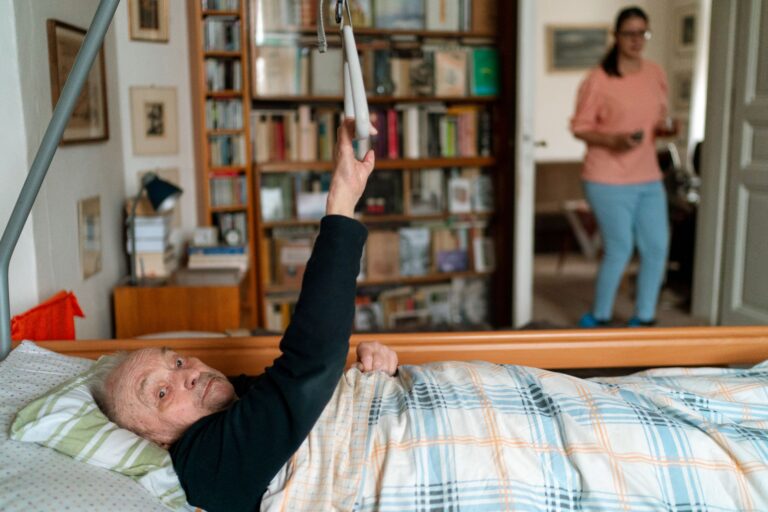
Before adding an indoor camera to dementia care, check the safety problem, the person's consent, privacy, placement, security, and who will respond. Choose video only if it offers a clear advantage over a less intrusive device. A camera can show what happened, but it cannot prevent every fall, replace supervision, or guarantee less caregiver stress. Its value depends on the person, the home, and a workable response plan.
Medical information disclaimer: This article is for general educational purposes only and does not provide medical advice, diagnosis, or treatment. Always consult a physician or other qualified health professional about symptoms, medications, tests, or treatment decisions.
Table of Contents
- Define the problem before choosing video
- Set realistic expectations
- Can the person agree to the camera?
- Protect dignity and other people's privacy
- Secure the feed and control access
Define the problem before choosing video
Start with one specific concern: nighttime falls, wandering, missed medication, difficulty calling for help, or uncertainty about whether someone has returned safely. This determines whether you need video, sound, motion detection, or a simpler alert.
For example, the National Institute on Aging suggests a bedroom room-monitoring device that alerts caregivers to sounds of a nighttime fall or need for help. That recommendation supports matching the tool to the risk, rather than assuming every concern requires a camera in its home safety guidance. Ask:.
- What event should the device detect?
- Must someone see the event, or would an alert be enough?
- Who receives the alert, and how quickly can that person act?
- What happens if the internet, power, or device fails?
- Could a pressure pad or sound monitor meet the same need with less intrusion?
Set realistic expectations
Remote monitoring is not proven to improve care or reduce caregiver burden for everyone. In a randomized study of 179 caregivers, passive activity monitoring had no direct effect on caregiver outcomes over 18 months according to University of Minnesota researchers in BMC Geriatrics. A separate study of 132 caregiver-person dyads found no statistically significant overall benefit after six months.
Calibration was difficult early on, although some situations appeared more promising, including earlier dementia and difficulty navigating at home. Treat a camera as one part of a care plan, not as the plan itself. Decide in advance which alerts matter, who checks them, when someone visits or calls, and when emergency help is appropriate. Without those decisions, more information may simply create more checking and worry.
Can the person agree to the camera?
Discuss the camera with the person who will be recorded. Explain where it will point, whether it records sound, who can watch, whether footage is stored, and how the device can be turned off. In England and Wales, a person who can understand, weigh, and communicate this decision must have their choice respected.
If that ability is lacking, a substitute decision must serve the person's best interests and use the least restrictive option, as explained by Alzheimer's Society. Capacity may depend on the particular decision and the explanation given. Do not assume that a dementia diagnosis automatically removes the person's voice. If relatives disagree or the legal position is unclear, pause installation and seek advice appropriate to the location and care setting.
Protect dignity and other people's privacy
Avoid placing cameras where anyone toilets, washes, changes clothes, or receives intimate care. A wide view of a hallway or entrance may answer a safety question without exposing a bed, bathroom doorway, or personal-care area.
Also consider everyone else who may be recorded, including a partner, roommate, visitor, cleaner, or care worker. A camera aimed at one person can still capture another person's conversations, movements, and care tasks. Before installation:.
- Mark the camera's exact field of view.
- Decide whether audio is necessary; disable it if it is not.
- Tell regular visitors and care workers about the device.
- Establish private periods and a simple way to switch recording off.
- Turn off nearby cameras during telehealth appointments so health discussions are not overheard or recorded.
Secure the feed and control access
An indoor feed may reveal routines, health needs, visitors, and private conversations. The Federal Trade Commission advises choosing encrypted livestreams and stored video, using unique passwords and two-factor authentication, installing software updates, securing Wi-Fi, and limiting remote viewers in its camera security guidance. Make an access list that names each approved viewer.
Remove access when a caregiver's role ends, and avoid sharing one password across the family. Review stored clips and delete them when they no longer serve the stated safety purpose. Test the complete response process before relying on the camera. Trigger an alert, confirm that the correct person receives it, check whether the image answers the safety question, and document what caregivers should do if nobody responds.